How SocialFly works with TikTok
SocialFly is a social media management tool operated by DropFly Inc. A business connects their own TikTok account and publishes their own videos to their own profile. We never post to anyone else's account.
This page shows the actual product. Account handles are blurred for privacy; nothing else has been altered.
Login Kit — user.info.basic
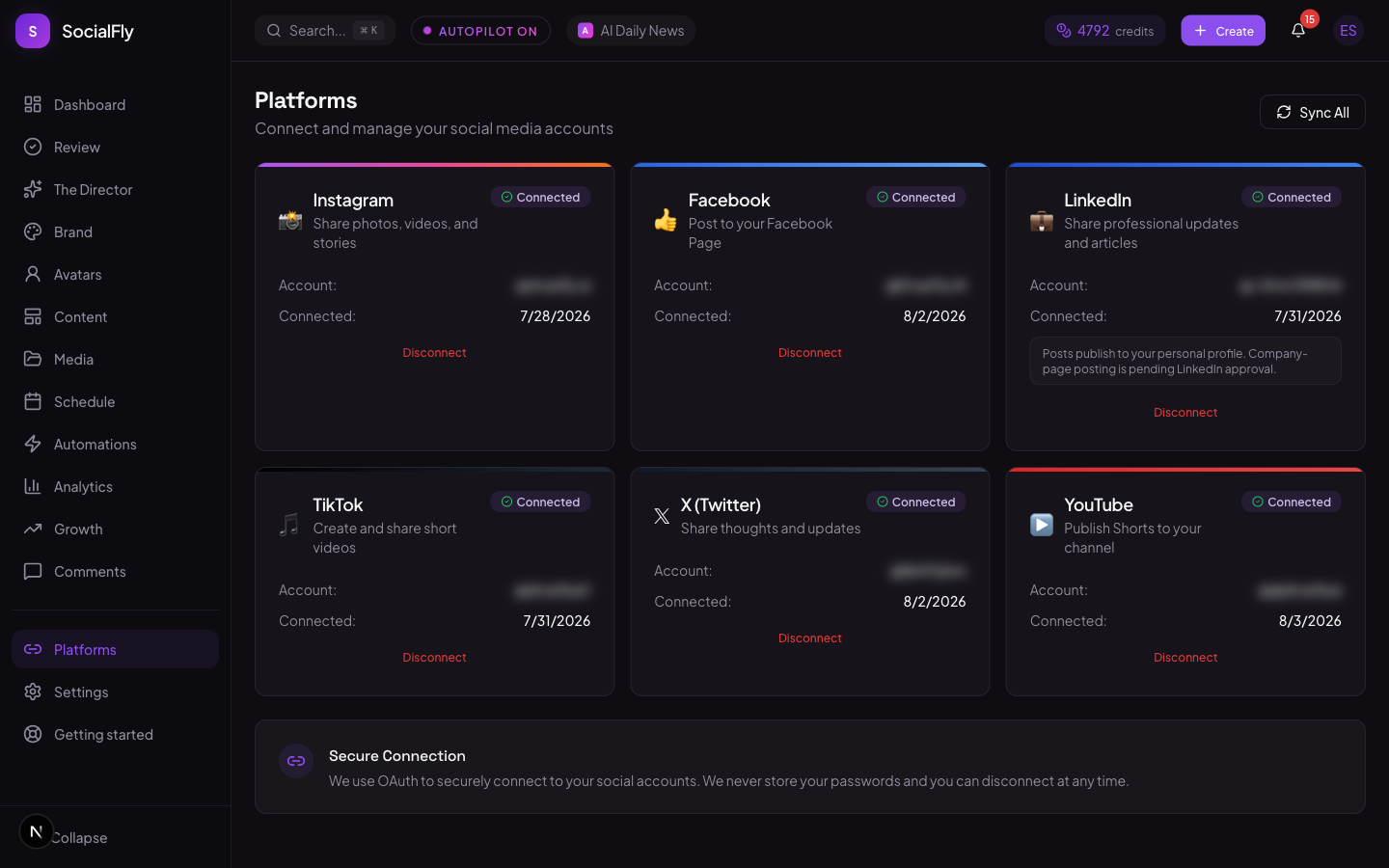
1. You link your own TikTok account
The user clicks Connect and authorizes through TikTok's own OAuth screen. We read basic profile info only, so we can show which account is linked and which account a post will go to. Every connection can be disconnected from this page at any time, and we never handle or store a TikTok password.
Content Posting API — video.upload
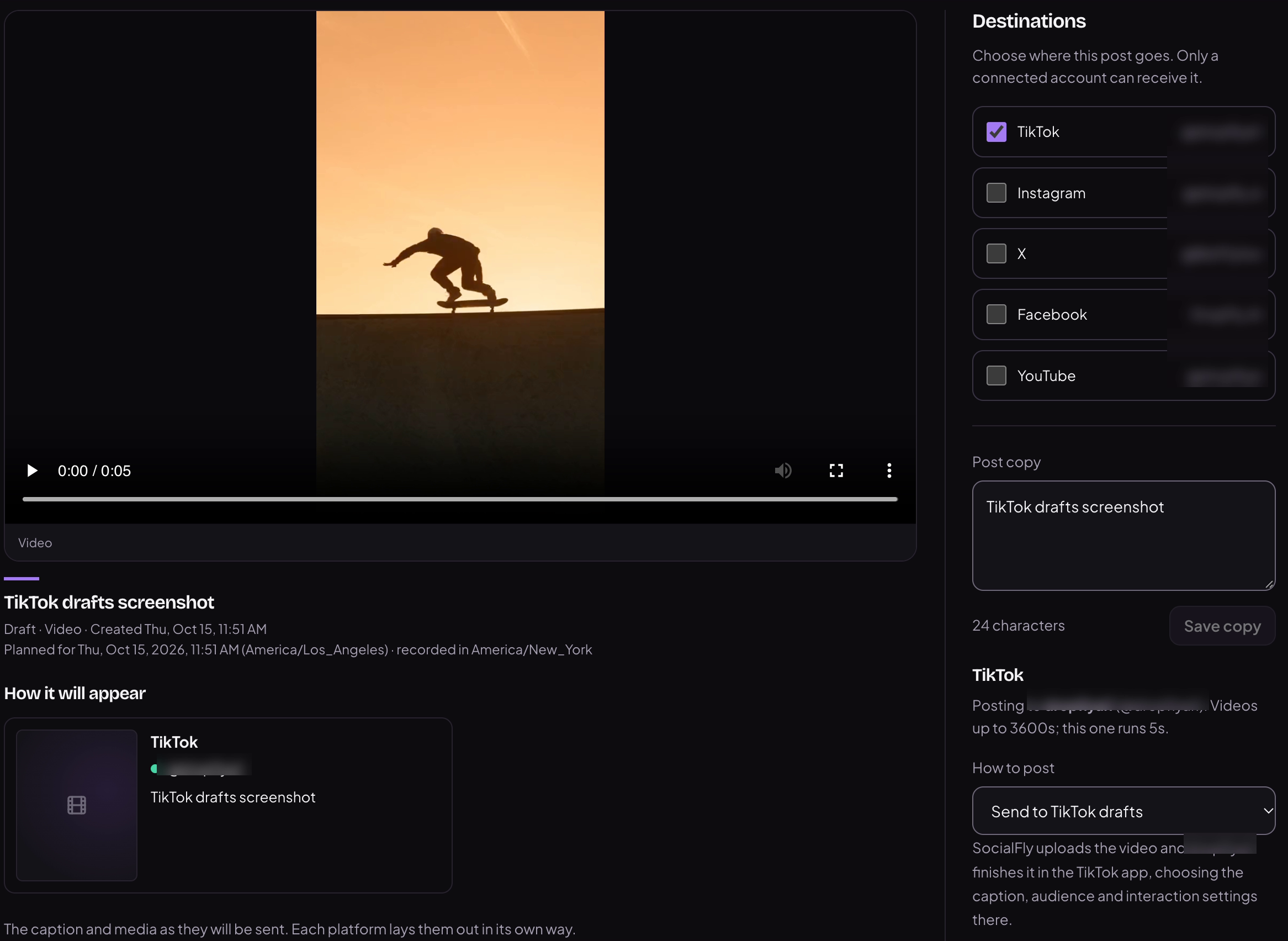
2. Your video goes to your TikTok drafts
Before a video can be sent, the review screen shows which TikTok account it will go to. Nothing is sent to TikTok until the creator approves it here. The video is then delivered to that account's TikTok drafts, and the creator opens it in the TikTok app to add the caption, sounds or effects, choose who can view it, and post it themselves. SocialFly never posts to the profile directly.
What we do not do
- We do not post to accounts the user has not connected themselves.
- We do not store TikTok passwords — authorization is OAuth only.
- We do not read or collect other users' content or personal data.
- We do not post without the creator approving that specific video.
Full detail in our Privacy Policy and Terms of Service. Questions: support@socialfly.io